
Receipt Scanner: Easy Expense
Easy Expense TrackerBusiness
4.83.46K Reviews
- Version
- 5.73.0
- Installs
- 1.00M
- Age Rating
- Everyone
Screenshots
Our Review of Receipt Scanner: Easy Expense
 Analysis by Appyee
I’m generally positive about Receipt Scanner: Easy Expense, but I’d recommend it for a specific reason: it aims to make receipts useful records rather than loose bits of paper you have to sort out later. That matters when you need to remember what a purchase was for, review spending, or keep business costs together. The key is to treat the scan as a convenient first step, not as a substitute for checking important records.
A practical fit for recurring expenses
I can see this being most helpful for someone who handles frequent small business purchases: a contractor buying supplies, a consultant paying for meals on the road, or a small team collecting receipts from shared work. Instead of waiting until the end of the month to reconstruct everything from a wallet or email inbox, you can make a habit of recording each purchase while it is still fresh in your mind.
For example, after buying materials for a client job, I’d scan the receipt before leaving the shop, then make sure the expense is assigned to the right project or business category if the app’s available organization tools support that workflow. The useful part is not merely having a picture; it is being able to find that receipt later without guessing which pocket, folder, or message it ended up in.
The app is free to download, with optional in-app purchases ranging from $0.99 to $144.99 per item. I’d start by trying the basic workflow with a few ordinary receipts before paying for anything. That gives you a chance to see whether scanning and organizing fit your routine, and whether any paid option addresses a real need rather than a feature you might never use.
What scanning can—and cannot—take off your plate
Receipt recognition is appealing because it can reduce manual typing, but I would still review the extracted details before relying on them. A faded printout, a long receipt with several totals, or a cramped layout can make the amount or merchant name worth checking. A quick correction at the time of capture is usually easier than trying to remember the purchase weeks later.
One small habit can improve the quality of your archive: flatten the receipt, keep the full edges in frame, and avoid strong shadows before taking a picture. For a long receipt, check that the bottom section with the total is included. If the extracted information looks wrong, treat the image as the record and fix the entry rather than assuming the scan is perfect.
There is also a difference between keeping an expense record and meeting every accounting or tax requirement. If your work depends on formal bookkeeping, reimbursement rules, or records your accountant needs in a particular format, check that the app’s current export and organization options suit that process before making it your only system. For complicated accounting, dedicated bookkeeping software may be a better home for the final numbers.
When a simpler alternative may be better
If you only save a handful of receipts each month, a phone camera and a clearly named folder may be enough. That approach takes little setup and avoids maintaining another account or collection of expense entries. The trade-off is that finding a particular purchase later can involve more manual searching, especially if filenames are vague or several people share the task.
At the other end, a spreadsheet gives you direct control over columns, labels, and calculations, but you have to enter and maintain those details yourself. A receipt-focused app makes more sense when capturing the paper evidence is the part you routinely put off. If your main need is invoices, cash-flow planning, or full business accounts, an expense scanner alone may not cover the job you have in mind.
Team use is worth thinking through before making the app central to a shared process. Agree on who records a purchase, what categories everyone should use, and how receipts are checked. A consistent routine is more valuable than a long list of categories nobody applies the same way. For occasional collaboration, that lightweight agreement may be all you need; a business with approvals and formal accounting workflows may need a more specialized platform.
Ever felt like keeping track of your expenses is a never-ending battle with receipts? I know I have! That's where the Receipt Scanner: Easy Expense app comes to the rescue. It promises to turn that pile of crumpled paper into a well-organized digital archive. Let's dive into how this app performs in real life.
First Impressions
Installing the app was a breeze. A quick download from the app store, and I was good to go. The user interface is sleek and intuitive, making it accessible even for those who aren't tech-savvy. The minimalist design helps in focusing on the task at hand without any flashy distractions.
Upon launching, the app offers a brief tutorial. It’s clear and straightforward, guiding you through the basics of scanning receipts and categorizing expenses. I appreciated this feature as it didn't overwhelm me with information but gave just enough to get started.
Features that Stand Out
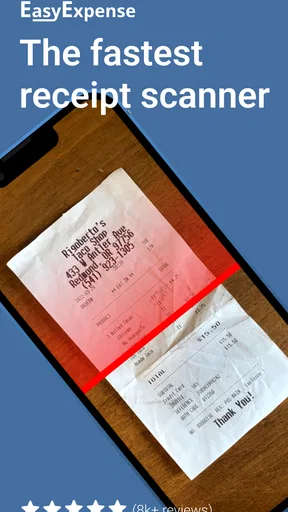
The app's main feature, as you might expect, is its receipt scanning capability. You simply snap a photo of your receipt, and the app does the rest. It automatically detects and extracts important details like date, merchant name, and amount. This automation is a real time-saver, and I found it to be quite accurate with various types of receipts.
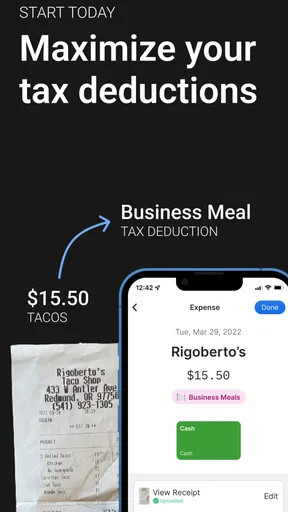
What I found particularly handy was the ability to categorize expenses into different folders. Whether it's for groceries, travel, or dining out, organizing your expenses has never been easier. Plus, the search function allows you to quickly find specific receipts when needed.
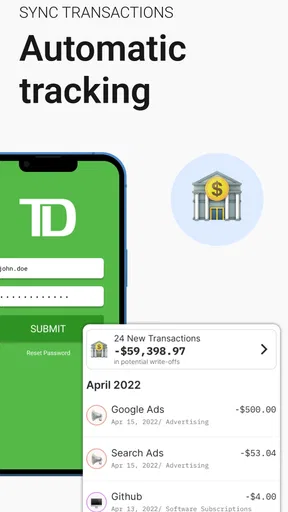
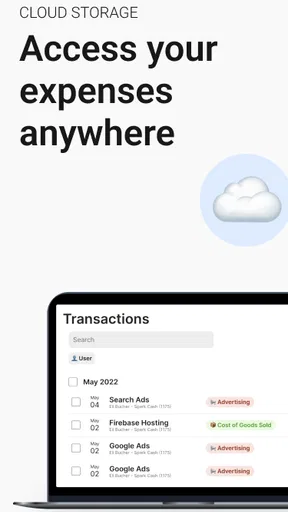
The integration with cloud services is another noteworthy feature. You can sync your data with Google Drive or Dropbox, ensuring your records are safe and accessible from multiple devices. This is especially useful if you're someone who's always switching between your phone, tablet, and computer.
Practical Use and Performance
In terms of performance, the app runs smoothly without any noticeable lag. I tested it on both Android and iOS, and the experience was consistent across both platforms. The scanning process is quick, and the app typically took a few seconds to process each receipt.
One of the highlights is the app's ability to handle multiple currencies, a boon for frequent travelers. It automatically detects the currency used in a receipt and converts it to your home currency if needed. This small but significant feature makes managing international expenses a breeze.
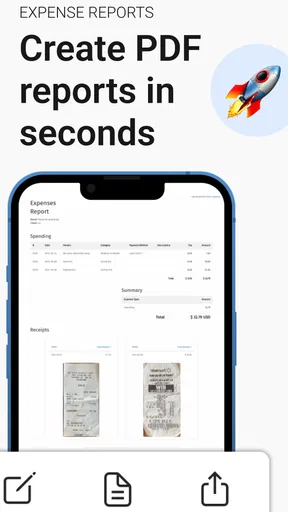
Another practical feature is the report generation tool. You can easily compile monthly or yearly reports, which are particularly useful for business purposes or tax season. The reports are detailed and can be exported in various formats, including PDF and Excel.
User Experience and Feedback
From a user perspective, the app is designed with the everyday user in mind. The developers have clearly thought about the typical pain points of managing receipts and have addressed them effectively. The app community is active, with frequent updates that introduce new features and improvements based on user feedback.
Customer support is responsive, which is always a plus. I reached out with a query, and the response was quick and helpful. It's reassuring to know that if you encounter any issues, help is just a message away.
Audience, cost, and practical details
Receipt Scanner: Easy Expense is a business app from Easy Expense Tracker, and its focus is clear: keeping purchase evidence connected to expense tracking. It has a 4.8 average from around 18,000 ratings, with roughly 3,400 written reviews and over 500,000 installs. Those figures suggest it has found an audience, though they cannot tell you whether its workflow matches your own.
It is rated for Everyone, was released on January 19, 2020, and its current version is 5.52.0. The minimum OS is 7.0. I’d check compatibility on the device you actually plan to use, especially if it is older, and keep the app updated if you rely on it to retain useful expense records.
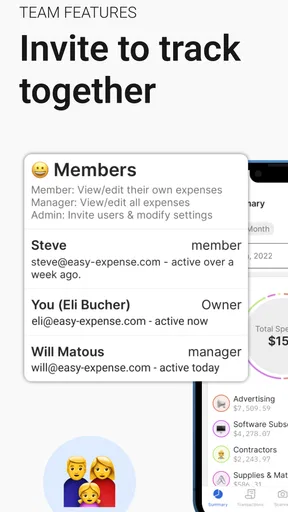
The store summary highlights AI receipt scanning and managing business expenses as a team. That combination makes the app more relevant to people who want to capture records as they work than to someone looking for a complete accounting suite. If a team is involved, decide together how to label purchases and who checks scanned totals; that simple housekeeping can prevent a shared archive from becoming inconsistent.
Who should try it, and who should pass
I’d recommend trying it if receipts pile up, you regularly need to sort business purchases, or you want a searchable record without manually building every entry in a spreadsheet. It is also a sensible option for a small team whose main shared problem is collecting expense evidence. The strongest case is a steady stream of purchases where the time saved by capturing them promptly matters more than having every accounting function in one place.
I would skip it if you rarely handle receipts, already have a bookkeeping system that captures expenses smoothly, or need a specialized approval and accounting process. A camera folder is simpler for occasional records; a spreadsheet is more flexible for people who enjoy controlling every field; full bookkeeping software is the stronger choice when invoices, accounts, and financial reporting are the central task.
For travelers, the currency tools described above may be useful, but I would still check converted amounts against the original receipt before submitting expenses. For tax or reimbursement work, keep the image and confirm that the exported report contains the fields your process requires. These checks are not busywork: they help prevent a convenient scanner from becoming a source of avoidable errors.
Final Thoughts
So, would I recommend the app? Absolutely. It's a practical tool that simplifies the mundane task of managing receipts, making it less of a chore and more of a seamless process. Whether you're an individual wanting to keep track of personal expenses or a small business owner needing to manage invoices, this app has something to offer.
In a world where managing finances can often feel chaotic, having an app like this makes life a little bit easier. Give it a try, and you might just find it becoming an indispensable part of your financial toolkit.
My verdict
My recommendation comes with a boundary: I see this as a receipt-and-expense organizer, not a replacement for careful bookkeeping. Its appeal is the everyday routine of capturing purchases before they disappear into a stack of paper, then finding them again when you need to review or share records. If that is the friction you want to remove, it is worth trying the free version and judging the scan-and-sort process with your own receipts.
For a business with strict accounting requirements, I’d first verify that its current workflow supports the records and review steps the business needs. For everyone else who wants a more orderly trail of expenses, the app offers a focused place to start. I’d keep the original receipts when they matter, check extracted details, and use the tool consistently; those habits are what make any scanner genuinely useful.
Verdict
Strengths of Receipt Scanner: Easy Expense
- Quickly scans and organizes receipts.
- User-friendly interface simplifies use.
- Supports multiple file formats effortlessly.
- Offers cloud backup for data security.
- Integrates with popular accounting software.
Limitations of Receipt Scanner: Easy Expense
- Limited free version features available.
- Occasional syncing issues with cloud.
- Requires stable internet for full functionality.
- Some users report slow receipt processing.
- No manual entry option for offline use.
Other Releases by Easy Expense Tracker
View All
Easy Invoice & Estimate Maker
Business4.8

Automatic Mileage Tracker App
Business4.5
Similar Picks in This Category
View All
LinkedIn: Community & Network
LinkedIn3.8

Zoom Workplace
zoom.com4.1

Microsoft Teams
Microsoft Corporation4.6

Meta Business Suite
Meta Platforms, Inc.4.6

Webex Meetings
Cisco Systems, Inc.4.5

TeamViewer Remote Control
TeamViewer4.4
Frequently Asked Questions
What features does Receipt Scanner: Easy Expense offer?
Receipt Scanner: Easy Expense offers a range of features designed to simplify expense tracking. Users can easily scan and digitize receipts, categorize expenses, generate reports, and integrate with accounting software. The app also supports multiple currencies and provides cloud storage for easy access and backup of all data.
Is Receipt Scanner: Easy Expense secure to use?
Yes, Receipt Scanner: Easy Expense prioritizes user security. The app employs encryption methods to protect your data and ensure that sensitive information remains confidential. Additionally, it offers secure cloud storage options, so you can safely access your receipts and expense reports from any device.
How accurate is the receipt scanning feature?
The receipt scanning feature in Receipt Scanner: Easy Expense is highly accurate, leveraging advanced OCR (Optical Character Recognition) technology. This ensures that the app can reliably extract and digitize information from receipts, such as amounts, dates, and merchant names, minimizing manual data entry and errors.
Can Receipt Scanner: Easy Expense handle multiple currencies?
Yes, Receipt Scanner: Easy Expense supports multiple currencies, making it ideal for users who travel or deal with international transactions. The app allows you to specify the currency for each expense and can convert totals to your preferred currency, providing a comprehensive view of your spending habits.
Is there a subscription fee for using Receipt Scanner: Easy Expense?
Receipt Scanner: Easy Expense offers a free version with basic features. However, to access premium features such as advanced reporting, unlimited cloud storage, and priority customer support, a subscription fee is required. The app offers various plans, including monthly and annual subscriptions, to suit different user needs.
